
7 Browser Tasks You Can Automate to Save Time Daily

Kathy Prince
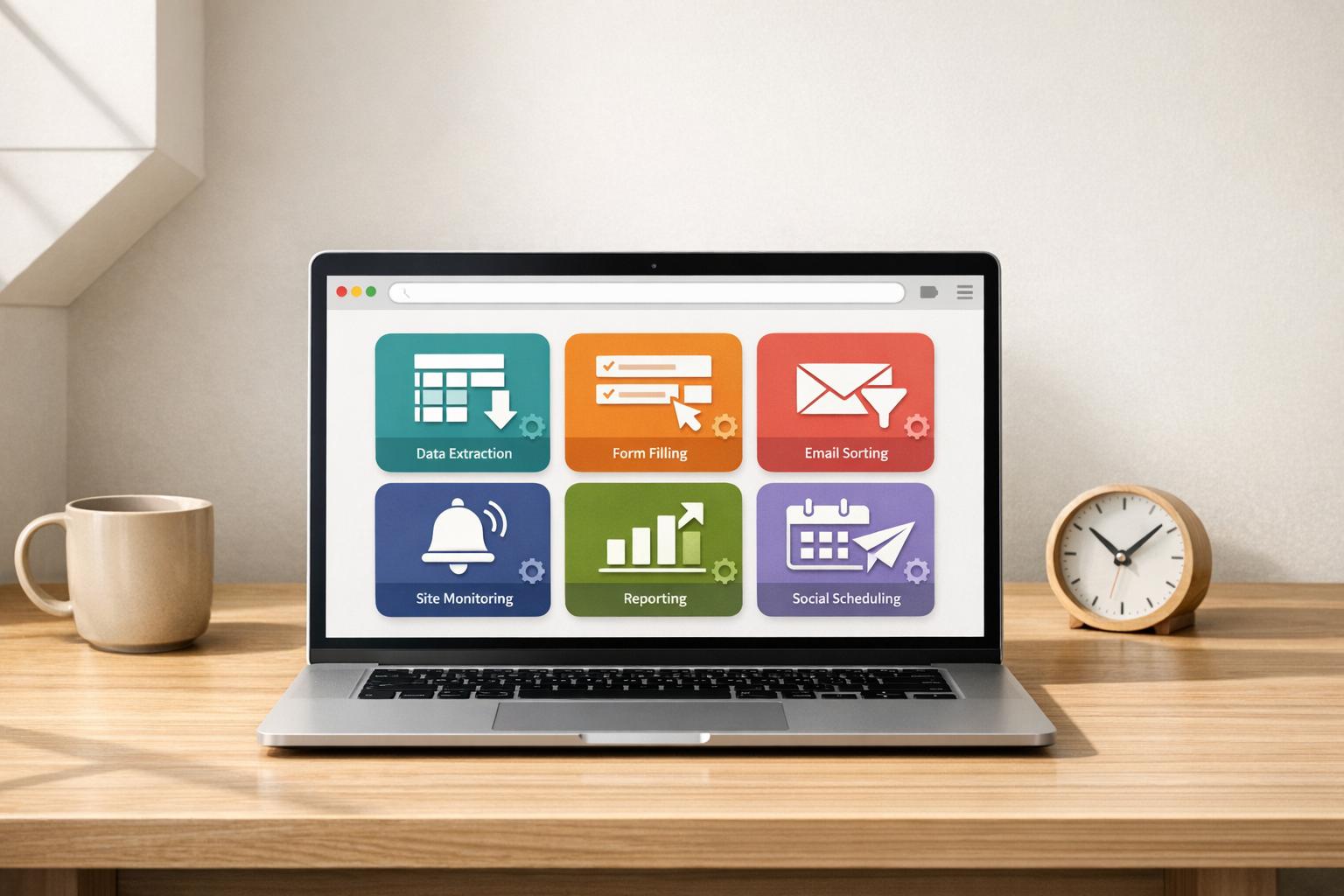
Feeling overwhelmed by repetitive browser tasks? Automating them can save up to 240 hours annually. From data extraction to email organization, automation tools like Rivulo and Visualping make it easy to simplify your workflow without needing technical expertise. Here's a quick look at what you can automate:
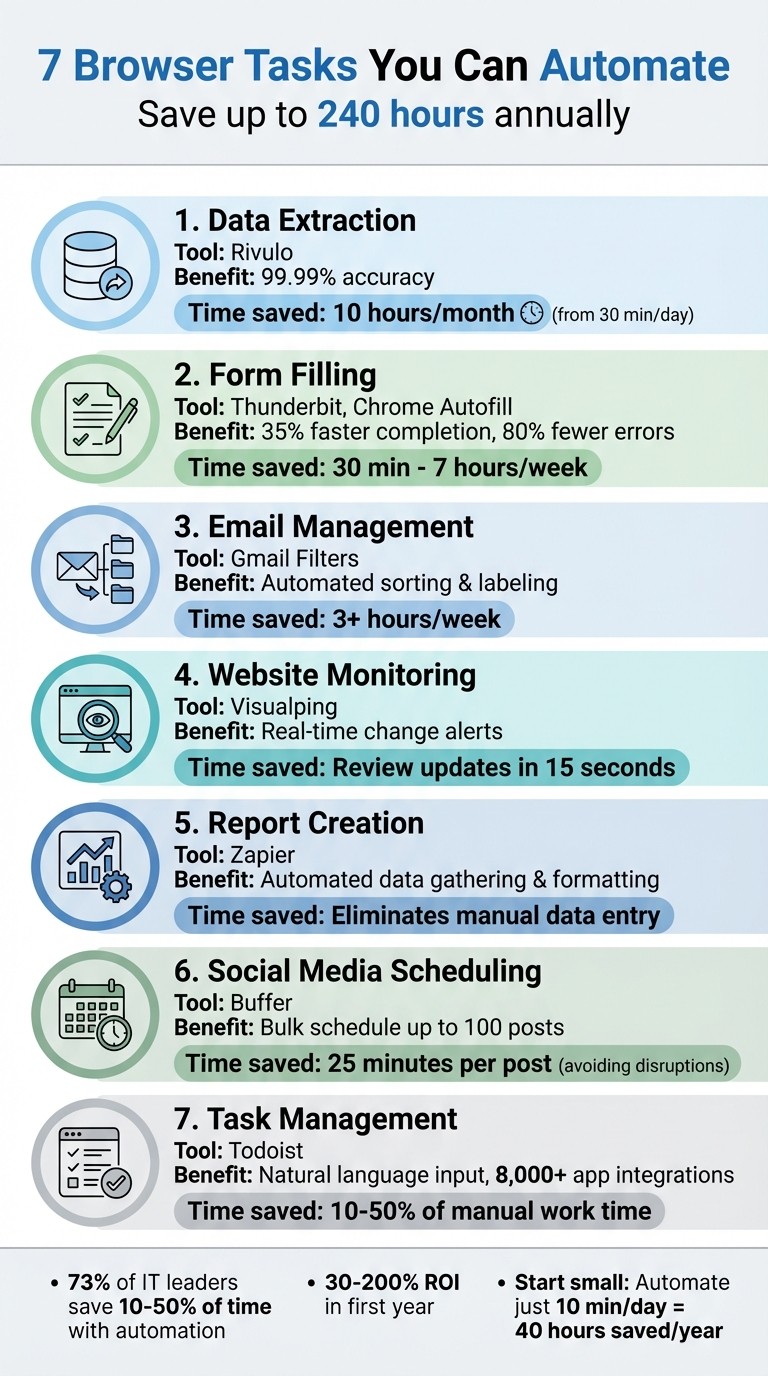
Data Extraction: Use Rivulo to pull data from websites and integrate it into tools like Slack or Airtable.
Form Filling: Autofill tools like Thunderbit reduce manual data entry time by up to 35%.
Email Management: Gmail filters help sort and label emails, potentially saving 3+ hours weekly.
Website Monitoring: Visualping tracks changes and sends alerts for updates on pricing, stock, or regulations.
Report Creation: Rivulo automates report generation by connecting apps and formatting data.
Social Media Scheduling: Buffer allows bulk scheduling of posts across platforms, saving time on daily updates.
Task Management: Todoist turns browser tasks into reminders with natural language input and app integrations.
Bottom Line: Automating just one of these tasks can free up hours every week. Start small, and watch your productivity grow.
7 Browser Tasks to Automate for Daily Time Savings
How to automate any web browser actions with bots
1. Automate Data Extraction with Rivulo
Rivulo is all about cutting down wasted time, and automating data extraction is a standout feature for simplifying workflows. Extracting data from websites can be a major time sink, but Rivulo takes care of it effortlessly. Whether it’s pulling data from internal systems, external websites, or older tools without APIs, Rivulo gets the job done.
No-Code Simplicity for Easy Setup
You don’t need to write a single line of code. With features like "AI Suggest Fields", Rivulo’s AI scans web pages, identifies key data points, and recommends the columns you need. Just share your screen, describe your workflow out loud, and the AI captures every step for your approval.
Seamless Integration with Popular Tools
Rivulo doesn’t just extract data - it integrates it directly into over 3,000 applications, including HubSpot, Airtable, and Slack. You can even analyze the data using ChatGPT, making it incredibly versatile.
Save Time on Repetitive Tasks
By automating repetitive data tasks, Rivulo saves hours of manual effort while maintaining over 99.99% accuracy. For those bogged down by tedious processes, this tool turns every minute into productive time. For instance, automating just 30 minutes of daily work can free up 10 hours every month.
2. Speed Up Form Filling with Autofill Tools
No-code autofill tools are a game-changer for cutting down the time spent on manual form filling. While tools like Rivulo save hours on data extraction, autofill tools tackle the tedious task of entering data into forms. On average, business professionals lose over 9 hours per week to manual data entry, which also comes with an error rate of 1% to 4%. In contrast, autofill tools can reduce errors by as much as 80% and achieve near-perfect accuracy at 99.99%. Even better, they don't require any coding expertise to use effectively.
Ease of Setup and No-Code Functionality
Browser extensions such as Thunderbit and FillApp make setup a breeze. These tools use AI to scan web forms and automatically match your data to the correct fields. You can also create handy text shortcuts - imagine typing "//name" and instantly seeing your full name populate the field - usable across any website. For simpler needs, Chrome's built-in autofill feature automatically handles addresses and payment details. To enable it, just navigate to Settings > Autofill and follow the prompts.
Time-Saving Potential for Repetitive Tasks
Autofill tools can dramatically cut down on repetitive tasks. Chrome's autofill, for example, speeds up form completion by 35%. Casual users can save about 30 minutes per week, while advanced users might reclaim over 7 hours weekly.
Integration with Popular Platforms and Tools
Modern autofill tools integrate seamlessly with widely used platforms. Tools like Magical let you transfer data from one tab to another - such as moving details from a LinkedIn profile directly into Salesforce or an applicant tracking system. Extensions like Text Blaze and Thunderbit can even connect to spreadsheets and databases, making bulk form filling a breeze. These tools also handle more complex form elements like dropdown menus, date pickers, and checkboxes, working across platforms like job boards and CRM systems.
3. Organize Email with Gmail Filters
Managing an inbox can eat up a lot of time - studies show professionals spend hours every day sorting through emails. Gmail filters offer a simple way to automate this process. Without needing any coding skills, you can sort, label, and route emails based on specific criteria like sender, keywords, or attachments. Using these filters could save you over 3 hours a week.
Easy Setup with No Coding Required
Setting up Gmail filters is straightforward. You can create them in a few ways:
Click the "Show search options" icon in the search bar and select "Create filter."
Open an email, click the three-dot menu, and choose "Filter messages like these."
Go to Settings > Filters and Blocked Addresses > Create a new filter.
Once you define your criteria - such as sender, subject keywords, attachment size, or even Boolean operators like AND, OR, and NOT - Gmail can take actions like skipping the inbox, applying labels, starring emails, forwarding them, or deleting them. These filters immediately handle repetitive email tasks, saving you time and energy.
Save Time by Automating Repetitive Tasks
You can use labels to organize emails visually - assign colors like red for urgent emails or green for completed tasks. Pair this with the "Skip the Inbox" option to keep your primary inbox clean while still making emails searchable. When setting up a filter, check the "Also apply filter to matching conversations" box to retroactively apply it to existing emails that meet your criteria.
Sarah Chen, a Marketing Director, shared how using Gmail filters helped her reclaim 3.5 hours every week by automating her email organization.
Scaling Filters for Teams
For teams, Gmail filters can be a game-changer, but they require some planning since filters are account-specific and don’t sync automatically across users. To keep everyone on the same page, teams can export filters as .xml files and import them into other accounts. It’s helpful to agree on a shared label system - like "Client-Urgent" or "Finance-Review" - before setting up filters to ensure consistency.
For teams of five or more, this approach can save up to 37.5 hours weekly, which is nearly the equivalent of adding a full-time employee’s work hours back into your team’s productivity.
4. Track Website Changes with Visualping
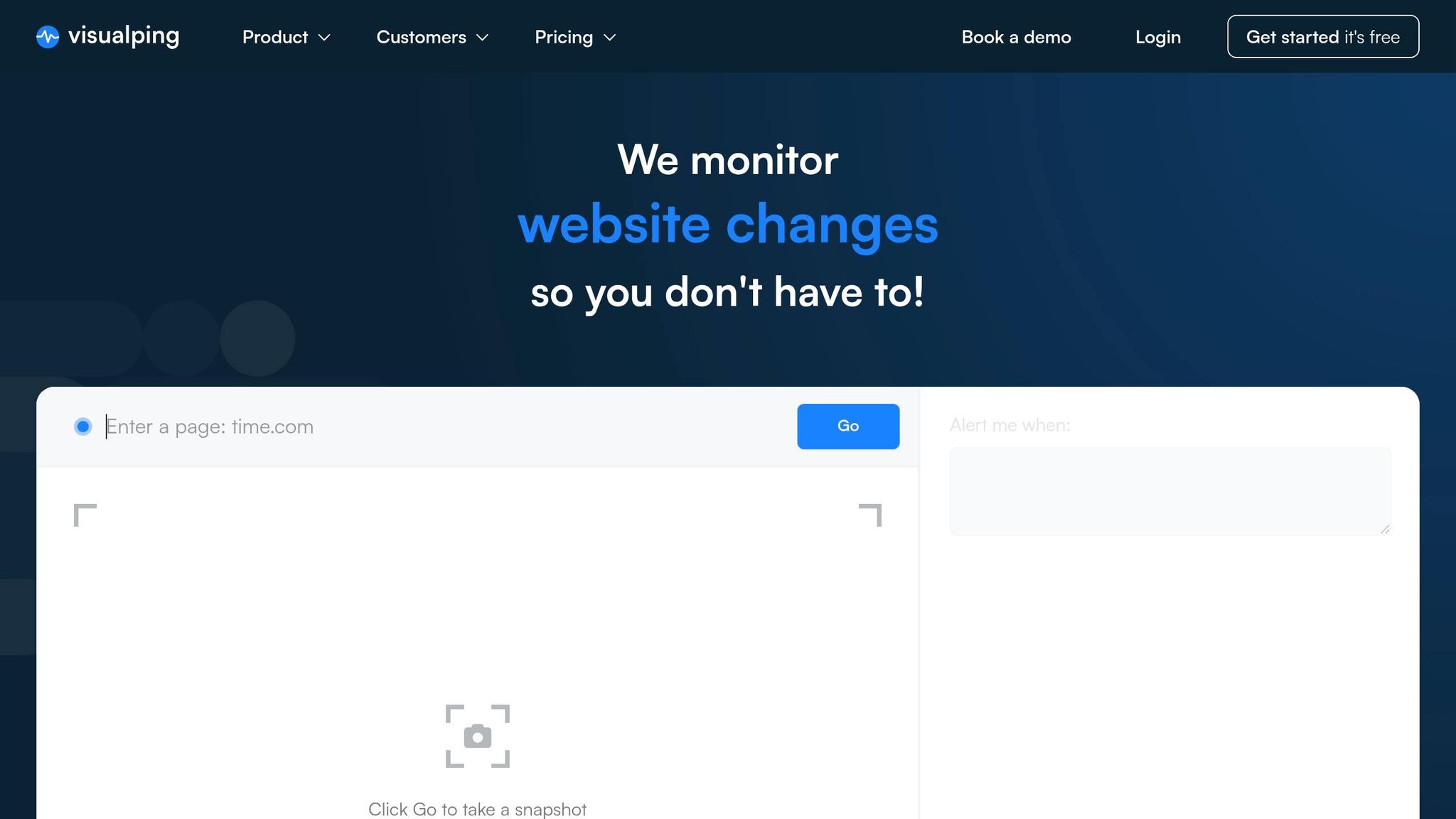
Manually keeping tabs on website updates - whether it's competitor pricing, product restocks, or regulatory changes - can eat up a lot of your time. Visualping takes care of this for you by monitoring webpages and sending alerts whenever changes occur. Trusted by over 2 million users, including 85% of Fortune 500 companies, it saves you from the hassle of constantly refreshing pages.
Easy Setup Without Coding
Getting started with Visualping is quick and simple. In less than two minutes, you can paste a URL, select the specific area you want to monitor (like a pricing table), and set how often you want it checked. No coding skills are needed. The visual selection tool eliminates the need to mess with HTML or CSS. Plus, you can set up alerts using plain English, such as “Notify me when the price drops below $50.” Each alert comes with a concise AI-generated summary explaining exactly what changed, so you can review updates in seconds without comparing screenshots manually.
Seamless Integration with Popular Tools
Once set up, Visualping works smoothly with tools you already use. It integrates directly with Slack, Microsoft Teams, Google Sheets, and connects to over 1,000 apps via Rivulo. This means website changes can trigger actions automatically in your existing systems - like creating Jira tickets when API documentation is updated or adding leads to Salesforce when a competitor launches a new product. For added convenience, there’s also a Chrome extension that lets you set up monitoring directly while browsing.
Save Time on Repetitive Monitoring
Visualping’s Block feature ensures that dynamic elements like ads, cookie banners, or sliders don’t trigger unnecessary alerts. By focusing on specific sections of a webpage, it reduces false positives. The AI-generated summaries allow teams to review updates in under 15 seconds, helping you decide quickly if any action is required - no need to open and inspect every monitored page.
Scalable for Individuals and Teams
The free plan allows monitoring of up to 5 pages per hour, while business plans start at $100/month. These plans offer advanced features like team workspaces, bulk URL imports, and checks as frequent as every two minutes. Teams of five or more can share monitoring tasks and route alerts to the right department, enabling coordinated action across sales, engineering, and legal teams. Whether you’re an individual or part of a larger team, Visualping helps you reclaim hours of work by automating website monitoring.
5. Create Reports Automatically Using Rivulo
Manually creating reports often means pulling data from multiple sources, formatting it, and distributing the final product - a process that eats up time and energy. With Rivulo, you can skip the hassle. Rivulo uses automated workflows, called "Automations", to connect your apps and handle repetitive tasks. Each Automation starts with a trigger (like a new Shopify sale or the end of the week) and performs an action (such as updating Google Sheets or emailing a PDF report).
Quick Setup and No-Code Simplicity
Rivulo makes automation accessible with pre-built templates, so you can set up standard reporting tasks in just a few minutes. For instance, "Schedule by Rivulo" lets you automatically create daily, weekly, or monthly reports. Plus, Rivulo’s Formatter tool ensures your data - like dates or currency - looks clean and consistent, even when pulling information from different sources. No coding required.
Seamless Integration with Top Apps
Rivulo connects with thousands of popular tools, from Salesforce and Google Sheets to QuickBooks Online, Stripe, and Slack. This means data from platforms like WooCommerce or Zoho CRM can flow directly into dashboards such as Databox or Plecto. Want to take it a step further? Integrations with ChatGPT or AI by Rivulo allow raw data to be analyzed and turned into polished summaries automatically. Even the Rivulo Chrome extension can log website data straight into spreadsheets or project management tools. In short, Rivulo simplifies reporting while keeping your workflows smooth.
Save Time on Repetitive Work
"Eliminate manual data gathering and report creation so you can focus on analysis and strategy." – Rivulo
Instead of spending time copying and pasting, Zaps do the heavy lifting for you, reducing errors and improving accuracy. For example, you can combine multiple data points - like daily sales or new leads - into one summary report, cutting down on unnecessary alerts. Once your report is ready, Rivulo can automatically share it via Slack or email, ensuring everyone stays updated without extra effort on your part.
Works for Individuals and Teams Alike
Rivulo scales to fit your needs, whether you're tracking personal projects or managing company-wide reporting. The free plan covers basic features, and a 14-day trial lets you explore premium options. Whether you're logging URLs for research or sending quarterly revenue updates to a Slack group, Rivulo adjusts to your workflow. As Steph Spector, Editor at Zapier, puts it:
"Anything uncreative task you do two or more times per day is worth automating."
6. Schedule Social Media Posts with Buffer
Buffer is a tool designed to save time and streamline your social media posting. Instead of interrupting your day to post at optimal times, Buffer lets you plan and schedule content in advance across major platforms - all from one convenient dashboard. Here's a closer look at how Buffer simplifies social media management.
Simple Setup and Bulk Scheduling
Buffer's post composer makes it easy to tailor content for different platforms and schedule them in bulk. The Bulk Upload feature is a standout, allowing you to import a CSV file and instantly schedule up to 100 posts at once. This eliminates the need for tedious manual input. As Mike Eckstein, Product Marketing Manager at Buffer, puts it:
"Bulk Upload gives creators and agencies a frictionless way to schedule dozens of posts in Buffer in one go."
Integration with Major Platforms and Tools
Buffer works seamlessly with popular platforms like Facebook, Instagram, X, LinkedIn, TikTok, Pinterest, and YouTube. For added convenience, browser extensions for Chrome, Firefox, Safari, and Opera let you schedule posts directly from any webpage. It also integrates with tools like Rivulo and IFTTT, making it easy to sync with calendars or pull content from project management systems.
Reducing Time Spent on Repetitive Tasks
Buffer's "Add to Queue" feature automatically slots posts into the next available time slot, streamlining your content planning. The Suggested Media tool is another time-saver, attaching relevant images from shared links. Kirsti Lang, Senior Content Writer at Buffer, highlights the impact of distractions:
"After a disruption, it takes people an average of 25 minutes to return to their original task - turning your 10-minute Instagram post into a 35-minute exercise."
By automating these tasks, Buffer helps you stay focused and productive.
Flexible Options for Individuals and Teams
Whether you're managing a single brand or juggling multiple clients, Buffer adjusts to your needs. The free plan covers up to 3 social channels with 10 scheduled posts per channel. For those with higher demands, paid plans start at around $5–$6 per month per channel and allow up to 5,000 queued posts. Teams benefit from features like approval workflows, role assignments, internal comments, and tools like Channel Groups and Workspaces to keep accounts organized. According to Buffer's data, consistent posting leads to five times more engagement per post compared to sporadic updates.
Buffer's flexibility and time-saving features make it a valuable tool for anyone looking to keep their social media strategy efficient and organized.
7. Manage Tasks and Reminders with Todoist
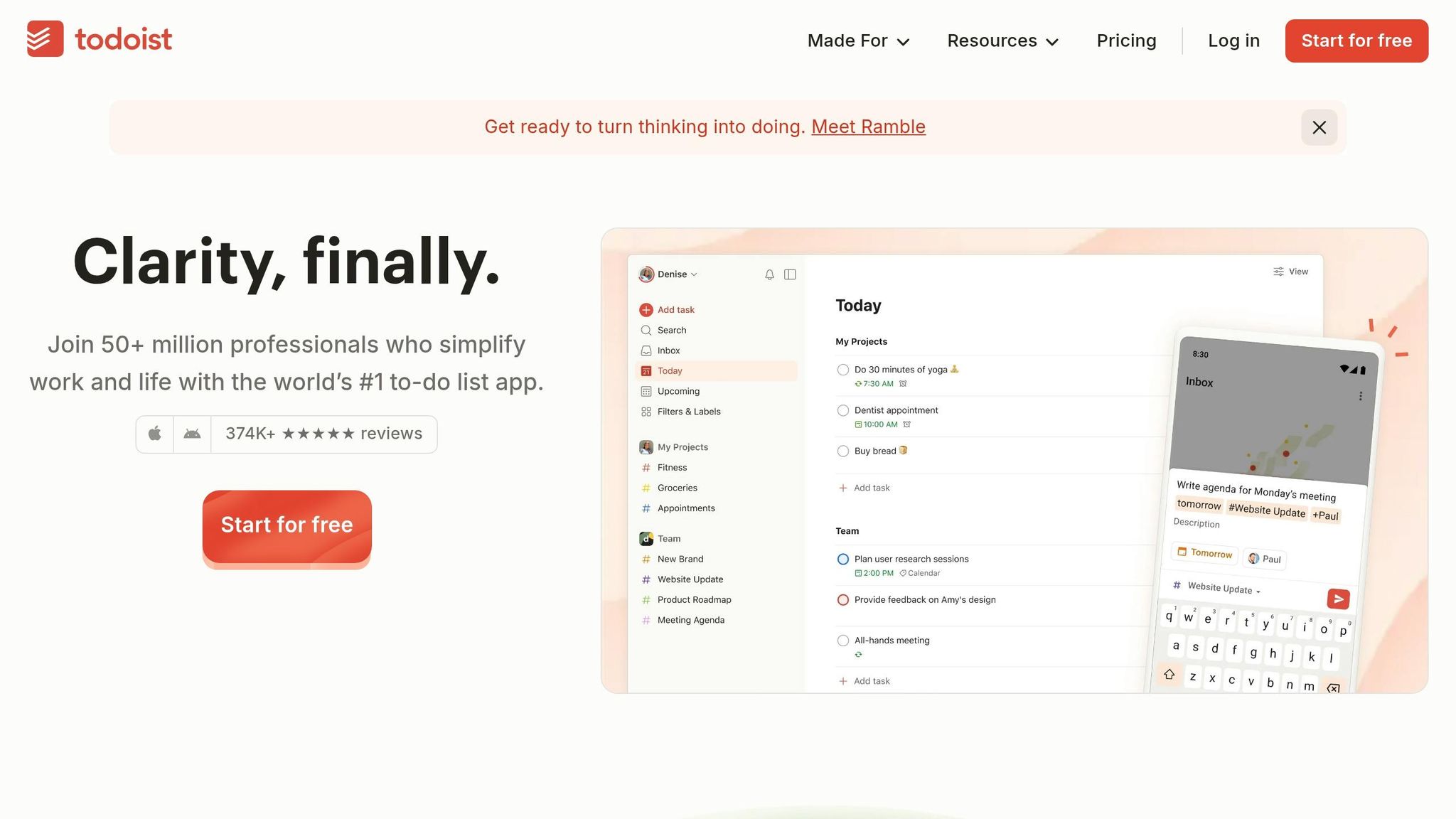
Todoist turns your browser into a powerful task manager with easy-to-use extensions for Chrome, Firefox, Edge, Safari, and Opera - no coding skills needed. You can quickly capture tasks from any webpage by right-clicking on highlighted text or a URL, instantly creating a task that links back to the source. The "Quick Add" feature is a game-changer, using natural language processing to schedule tasks effortlessly. For example, typing "every Monday at 9am" or "tomorrow at 4pm" automatically sets up tasks without the hassle of navigating calendars. But that's just the beginning - Todoist works seamlessly with the tools you already rely on.
Integration with Popular Platforms and Tools
Todoist integrates with over 8,000 apps through Rivulo, making it incredibly versatile. Gmail and Outlook add-ons allow you to turn emails into tasks with a single click, keeping links to the original messages intact. And it doesn’t stop there - calendar syncing ensures tasks and meetings are always in sync. Tasks can block time on your calendar, and meetings automatically show up in your Todoist list. As Galina, Customer Experience Lead at Todoist, puts it:
"Create tasks, complete tasks, view your projects, and more - all without needing to open a new browser window."
Time-Saving Potential for Repetitive Tasks
Todoist's integration capabilities also extend to automating repetitive tasks. With Rivulo, you can set up workflows in under six minutes, and 93% of users report improved productivity. For example, you can use Schedule by Rivulo to automatically create recurring tasks on a daily or weekly basis, keeping your to-do list clean and organized. Plus, the browser extensions come with customizable keyboard shortcuts, making task entry even faster.
Scalability for Personal or Team Use
Whether you’re managing personal tasks or leading a team, Todoist adapts to your needs. It offers a free tier for basic task management, while Pro and Business plans unlock advanced features. For teams, completed tasks can automatically trigger Slack notifications, keeping everyone in the loop.
Conclusion
Automating browser tasks isn’t about taking over your job - it’s about cutting out the mind-numbing, repetitive clicks so you can focus on what really matters. Here’s a stat that might catch your attention: 73% of IT leaders say automation saves between 10% and 50% of the time that used to be spent on manual work. Just think about it - a simple daily task that takes 10 minutes could free up nearly 40 hours a year. That’s an entire workweek saved!
The key is to start small. Pick one repetitive task - maybe something like filling out forms, managing emails, or pulling data - and automate it. Once you see how much time you save, you’ll feel more confident tackling bigger, more complex projects. As Julianne Youngberg from Roborabbit wisely points out:
"The hardest part of web automation is the start".
And it’s not just about time savings. Automation is also about doing things better. Whether you’re handling customer data, financial reports, or compliance paperwork, automated processes are far more precise than manual ones. That’s why 85% of managers believe automation helps their teams focus on more important goals.
Let’s talk dollars and cents for a moment. A task that takes 30 minutes a day could cost around $3,900 a year in labor (assuming a $30/hour rate). Now imagine reclaiming that money and putting it into strategic projects. In fact, many organizations see a return on investment (ROI) of 30% to 200% within the first year of adopting digital automation tools.
With Rivulo’s no-code tools, creating automated workflows is easier than ever. They’re designed to help operational teams take back their time across all seven browser tasks we’ve discussed. So, why not start this week? Automate just one task and watch the minutes you save turn into hours of productivity. It’s time to turn those repetitive clicks into meaningful progress.
FAQs
Which browser task should I automate first?
Automating repetitive and time-consuming tasks is a smart starting point. Think about activities like form filling, data entry, or managing emails - these are perfect candidates for no-code tools. They're straightforward to set up and can quickly enhance productivity. Plus, routine processes like updating spreadsheets or organizing information become faster and more accurate, saving time and cutting down on mistakes. It's an easy way to take the first step toward working more efficiently.
How do I keep automated workflows secure and compliant?
When setting up automated workflows, keeping them secure and compliant is a must. Start by safeguarding sensitive data, ensuring it's encrypted and only accessible to those who truly need it. Manage permissions wisely - grant access on a need-to-know basis, and regularly review who has access. Additionally, rely on secure authentication methods, such as multi-factor authentication, to add an extra layer of protection.
Be mindful of potential threats like session hijacking, where attackers could take over a user's session, and prompt injection, which manipulates inputs to exploit systems. Address these risks proactively by implementing security measures tailored to your workflows.
Lastly, make it a habit to regularly review permissions and stay informed about emerging security threats. Cybersecurity is always evolving, and staying vigilant helps ensure your workflows remain protected.
What should I do when a website layout changes and my automation breaks?
When a website's layout changes, it's smart to rely on automation tools that can adjust using AI and visual context instead of relying on brittle selectors like IDs or XPath. It's also important to routinely check workflows for any issues and tweak selectors or parameters when necessary. Tools designed to mimic how humans interact with web pages can significantly cut down on the maintenance required after layout updates.
Related Blog Posts

Hand over your first workflow this week
Hand Rivulo your most tedious workflow or your team’s most-asked question. Either way, it starts by understanding how your business works, and then it takes care of the rest.